
Last updated Jan 24, 2026
Options for Moving Away from Google Analytics
Google Analytics (GA) is a powerful free website analytics platform, but it’s not ideal for everyone, and not all GA users love it – especially after the update to GA4.
Fortunately, there are lots of non-Google Analytics alternatives available; many with data privacy and ease-of-use as core features.
This post highlights several good alternatives to Google Analytics, including insights and tips for making your best non-GA choice.
Let’s take a closer look below!
This post contains a few referral links to select vendor partners. We may receive compensation for purchases made via these links, at no additional cost to buyers.
Introduction — The State of Web Analytics in 2026
Google Analytics and Non-Google Analytics Alternatives
If you feel like you’ve been fighting with your website analytics data for the last few years, you’re not alone. As we move now through 2026, the landscape of web analytics has fundamentally shifted.
For over a decade, Google Analytics was the invisible utility of the internet – you installed it, it worked, and everyone spoke the same language.
That era ended with the mandatory transition to Google Analytics 4 (GA4). What was promised as a “next-generation” leap has, for many small-to-medium businesses (SMBs), become a source of profound “GA4 Fatigue.”
Between the steep learning curve of event-based tracking and the frustrating “data thresholding” that hides metrics on lower-traffic sites, business owners are spending more time learning GA4 than actually growing their business.
At the same time, the “Privacy Pivot” has moved from a suggestion to a legal requirement. New 2026 amendments to the CCPA and stricter enforcement of GDPR in the EU mean that the way you collect data is now a potential liability.
“Opt-out by default” is the new standard, and the bulky cookie banners of recent years are being replaced by lightweight, privacy-first scripts that don’t require consent because they never collect personal data to begin with.
The goal of this post isn’t to turn you into a data scientist. Instead, we’re going to help you navigate the web analytics landscape to find a tool that gives you clear, actionable answers.
Whether you’re a WordPress admin looking for a simpler “plug-and-play” analytics toolkit or a growth marketer needing deep attribution, there is a GA alternative that will let you stop fighting your dashboard and start acting on valuable insights.
Quick Comparison — The Analytics Landscape
Options Other Than Google Analytics as the Default Choice
Choosing an analytics tool in 2026 isn’t about finding the “best” software – it’s about finding the one that matches your business model and your technical comfort level.
Below is a snapshot of how the top analytics contenders stack up in today’s market.
At-a-Glance: Top Google Analytics Alternatives
This overview table compares popular privacy-focused alternatives, WordPress-native plugins, and enterprise-grade behavioral data platforms. (These are listed in no particular order of preference or priority.)
| Vendor | Primary Use Case | Privacy & Compliance | Pricing Model | Key Value Proposition |
|---|---|---|---|---|
| Rybbit | Lightweight OSS Analytics | 100% GDPR (Cookieless) | Free; Paid ($19+/mo) | Modern, fast UI; session replays included in an open-source package |
| Piwik PRO | Enterprise GA Alternative | High (GDPR/HIPAA focus) | Free tier; Paid (Custom) | Full-stack suite (Analytics + Tag Manager + Consent) with EU-based data residency. |
| Amplitude | Product & Data Science | GDPR, CCPA, HIPAA | Free tier; Paid (Growth/Ent) | Deep behavioral “cohort” analysis; focus on user lifecycle, retention, and conversion funnels. |
| AnyTrack | Ad Attribution & Sync | GDPR & iOS 14.5 Compliant | Paid ($50 – $300+/mo) | No-code server-side tracking; bridges the gap between website conversions and ad platform APIs. |
| Fathom | Simple SaaS Analytics | GDPR, CCPA, PECR (No cookies) | Paid (starts ~$15/mo) | Extreme simplicity; “Big Small Tech” ethos; bypasses ad-blockers via custom domains. |
| Mixpanel | Product/Behavioral Analytics | GDPR & CCPA (EU Data Residency) | Free tier; Paid (usage-based) | Deep event tracking; focus on user retention and “why” behind the data. |
| Snowplow | Enterprise Data Delivery | First-party; runs in your VPC | Tiered / Custom | Behavioral data engine for companies that want full ownership of their data pipeline. |
| Monster Insights | WordPress Plugin (GA Bridge) | GDPR “Lite” (needs addon) | Freemium ($99+/yr) | The most popular WP interface for Google Analytics; simplifies complex GA4 setups. |
| Independent Analytics | WordPress (Self-hosted) | 100% GDPR (No external servers) | Free; Pro ($54+/yr) | Deeply integrated with WP; identifies traffic by Author, Category, and Post Type. |
| Burst Statistics | WordPress (Self-hosted) | GDPR (No cookies or external servers) | Free; Pro ($39+/yr) | Lightweight and privacy-focused; built by the team behind Really Simple SSL. |
| Wireboard | Real-time Dashboarding | GDPR/CCPA (Real-time focus) | Free tier; Paid (Micro/Ent) | Visual excellence; focuses on concurrent visitors and “live” metrics for publishers. |
| InSignal | User Experience / Feedback | GDPR Compliant | Usage-based | Combines real-time analytics with session replays, heatmaps, and feedback surveys. |
| Plausible | Simple SaaS (Open Source) | 100% GDPR (No cookies) | Paid (starts ~$9/mo) | Clean UI; 100% open-source and transparent; script is <1KB. |
| Matomo | Full-stack GA Alternative | High (Self-host option) | Free (Self-host) / Paid | Feature set comparable to GA; full data ownership. |
Key Observations:
- The “No-Cookie” Movement: Fathom, Plausible, and Burst Statistics are leading the charge in eliminating cookie banners entirely by using non-PII tracking methods.
- WordPress Specialization: Vendors like Independent Analytics and Burst are gaining traction by offering “zero-leak” analytics where data never leaves the user’s own server.
- Behavioral vs. Simple Stats: Amplitude and Mixpanel represent the high-end shift, moving away from simple pageviews toward complex event-driven user journeys.
- Ad-Tech Attribution: AnyTrack and Piwik PRO solve the modern attribution gap caused by ad-blockers and iOS privacy changes using server-to-server tracking.
Major “Privacy-First” GA Alternatives
Google Analytics Alternatives with a Data Privacy Focus
If you want to move away from Google for a stronger data privacy focus, these are the heavy hitters. Each of these platforms has spent the last few years refining their software specifically for users who found GA4 too cumbersome and/or still had GA privacy concerns.
Matomo (The All-Rounder)
The Hook: “The only tool that gives you 100% data ownership.”
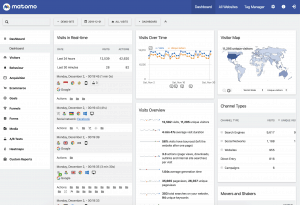
Matomo is the “spiritual successor” to the original Google Analytics (Universal Analytics, pre GA4). If you loved the old-school GA reports and the ability to see individual visitor logs, Matomo is your best bet.
- Pros: It includes built-in heatmaps, session recordings, and A/B testing – features that usually cost extra in other tools.
- Cons: It can be resource-intensive. If you choose to self-host (the free version), you’ll need someone to manage the updates and server performance.
- The 2026 Verdict: Still the gold standard for businesses that refuse to share their data with anyone else.
Plausible & Fathom (The Minimalists)
The Hook: “Everything you need on one page, loaded in under a second.”
Plausible and Fathom pioneered the movement toward minimalist analytics. They don’t track individual users across the web; they track what happens on your site and nothing else.
- Pros: Ultra-lightweight scripts that improve your site’s SEO (page speed and Core Web Vitals). They are completely cookieless, meaning in most jurisdictions, you can legally delete your cookie consent banner.
- Cons: They lack the deep-dive capabilities. You won’t find complex attribution modeling or predictive AI behavior here.
- The 2026 Verdict: Best for bloggers, content marketers, and SMBs who just need to know what content is working without the fluff.
Rybbit (The Modern Privacy Contender)
The Hook: “Simple, powerful, and privacy-compliant analytics for the modern web.”
Rybbit has surged in popularity since 2025 by striking a perfect balance between the minimalism of Plausible and the power of Matomo.
- Pros: The UI is incredibly fast and designed for real-time decision-making. It offers a modern feel that makes data visualization look like a high-end SaaS product rather than a spreadsheet.
- Cons: As a newer player, its library of third-party integrations (like direct connectors to obscure CRM systems) is still catching up to the veterans.
- The 2026 Verdict: The “cool kid” of analytics – ideal for modern startups and design-conscious agencies.
Piwik PRO (The Compliance Powerhouse)
The Hook: “Safe enough for healthcare and government, easy enough for a local shop.”
Piwik PRO is essentially an enterprise-grade tool that decided to play in the SMB space.
- Pros: It comes with its own built-in Tag Manager and Consent Manager. If you are in a highly regulated industry (like healthcare or finance), Piwik PRO handles the compliance “paperwork” for you.
- Cons: The Core plan is free and generous, but if you outgrow it, the price jump to the Enterprise tier can be significant.
- The 2026 Verdict: Best for businesses that need “Enterprise-lite” features and bulletproof legal compliance.
Specialized Google Analytics Alternatives & Emerging Players
Moving Beyond Standard Web Analytics Features
For some analytics users, standard traffic reports aren’t enough. If you’re running a SaaS platform, a high-volume e-commerce store, or complex lead-gen campaigns, you might need a tool that specializes in a specific type of “storytelling” with your data.
Product & Behavioral Analytics (Amplitude / Mixpanel)
Best For: App developers and SaaS companies.
While Google Analytics tells you where people came from, Amplitude tells you what they did. In 2026, these tools are the leaders in “event-based” tracking as alternatives to GA4.
- Focus: Instead of pageviews, you track actions – like “Started Free Trial” or “Completed Onboarding.” It helps you find where users get stuck in your product.
- The Oribi Connection: It’s worth noting that Oribi was acquired by LinkedIn to bolster their B2B attribution. If your business relies heavily on LinkedIn Ads, the native analytics inside the LinkedIn Campaign Manager now use Oribi’s technology to show you which companies are visiting your site.
Attribution & Ad-Tracking (AnyTrack / InSignal)
Best For: E-commerce stores and Performance Marketers.
In a “cookieless” world, traditional ad tracking is broken. AnyTrack and InSignal solve this by using server-side tracking.
- The Advantage: They bypass ad-blockers and browser privacy restrictions to sync your actual sales data directly back to Meta, Google Ads, and TikTok. This ensures your ad algorithms are optimizing for real purchases, not just clicks.
Advanced Data Infrastructure (Snowplow)
Best For: High-growth SMBs with technical resources.
Snowplow is less of a dashboard and more of a data engine.
- The Concept: It allows you to collect data from your site, mobile app, and server, and pipe it into your own database (like BigQuery or Snowflake).
- Tip for SMBs: Unless you have a dedicated data engineer or a very specific need for raw data, Snowplow is likely overkill. It is “Enterprise-class” infrastructure for those who have outgrown every other tool on this list.
Emerging Contender to Watch
- Wireboard: A rising star focused on team collaboration. If your marketing, sales, and product teams all need to look at the same data but in different ways, Wireboard’s “Collaborative Canvas” UI is a refreshing alternative to static dashboards.
Google Analytics Alternatives for WordPress
The WordPress Corner: Best Integration Options
For the millions of businesses running on WordPress, the “where” of your data is just as important as the “what.”
Today, many site admins are opting for solutions that live entirely within their WordPress dashboard, avoiding the need to log into external platforms and significantly improving their site performance.
MonsterInsights (The Familiar Bridge)
Best For: Those who want to keep Google Analytics but hide the complexity. MonsterInsights remains the go-to for users who aren’t ready to quit Google entirely but find the GA4 interface impossible to navigate.
MonsterInsights brings your most important metrics – like top posts and conversion rates – directly into your WP admin area in an easy-to-read format.
- The 2026 Edge: Their new Privacy Guard feature automatically anonymizes data to help you comply with regional laws without manual configuration.
Independent Analytics (The Privacy Rising Star)
Best For: Speed, privacy, and zero configuration. This plugin has gained massive traction because it doesn’t use cookies and it creates zero external requests.
While most analytics tools require the visitor’s browser to ping a third-party server (which slows down the page), Independent Analytics records everything locally within your WordPress database.
- The 2026 Edge: It’s one of the few plugins that offers “Author” and “Category” level analytics out of the box, perfect for content-heavy sites.
Matomo for WordPress (The Full Suite)
Best For: Users who want the power of Matomo without the technical setup. Instead of setting up a separate server for Matomo, this plugin allows the entire suite to run as part of your WordPress installation. You get heatmaps, session recordings, and tag management without ever leaving your site.
- The 2026 Edge: They’ve recently optimized the database footprint, meaning it no longer bloats your site’s backup size as it once did.
Fathom & Burst (Cloud vs. Local Minimalism)
- Fathom Analytics (via Plugin): If you want the speed of a minimalist tool but don’t want to store data in your own database, the Fathom plugin provides a beautiful dashboard within WP while keeping the heavy lifting on their high-speed, privacy-first servers.
- Burst Statistics: Created by the privacy experts behind the Complianz plugin, this is the lightest local option. It’s perfect for the “set it and forget it” admin who only needs to see their most popular pages and referrers.
Choosing Your Best Google Analytics Alternative
Avoiding “Analysis Paralysis”: Keeping it Simple for SMBs
Today, the biggest threat to your marketing analytics isn’t a lack of data – it’s having too much of it. Many SMB website owners log into GA4, see a wall of 50+ custom reports, and immediately close the tab.
This is analysis paralysis, and it’s why your choice of tool matters as much as your marketing strategy.
The Vanity Metric Trap
It is incredibly satisfying to see your Total Pageviews or Social Followers metrics climb. However, these are often vanity metrics. If a social post goes viral and brings 1,000 new visitors, but your sales don’t budge, that data is noise.
To keep it simple, focus on the essentials first:
- Source/Medium: Exactly where did your paying customers come from?
- Conversion Rate: What percentage of website visitors are actually taking a valuable action (signing up, buying, calling)?
- Key Event Paths: What was the last thing a website visitor did before they converted?
Related: Learn more in this post about SEO vanity metrics and how to avoid using them.
The “One Screen” Rule
We recommend a simple litmus test for any tool you trial: The 60-Second Rule. If you cannot open your analytics dashboard and understand exactly how your business performed yesterday within 60 seconds, the tool is too complex for your current stage.
Tools like Plausible and Rybbit excel here because they intentionally limit what they show you to the metrics that actually drive growth.
Data Hygiene Over Data Volume
In the age of AI-driven bot traffic, “Big Data” is often just “Big Messy Data.” Today’s best GA alternatives prioritize data hygiene. They use smarter filtering to ensure you aren’t counting bot hits as leads.
Remember: Clean data leads to confident decisions. It is better to have five accurate metrics that you trust than a hundred metrics that leave you guessing. By choosing a simpler tool, you aren’t losing power – you’re gaining clarity.
Analytics Buying Tips: How to Choose for Your SMB
The Quick-Decision Framework
Choosing the right analytics tool is a balancing act between the depth of data you need and the time you have to manage it. Use this quick-decision framework to find your match.
The “Solopreneur” or Content Creator
- Top Picks: Plausible, Fathom, or Rybbit.
- Why: You need to know what’s working, but you don’t have hours to spend in a dashboard. These tools give you the essentials on one screen and stay out of your way.
The “Growing Marketing Team”
- Top Picks: Matomo or Piwik PRO.
- Why: You need custom reports, goal tracking, and perhaps heatmaps to optimize your site. You need Google-level power but with privacy controls that keep you out of legal trouble.
The “Data-Driven SaaS” or App
- Top Picks: Amplitude or Mixpanel.
- Why: Traffic is nice, but user retention and feature usage are everything. You need to know exactly where people drop off in your sign-up flow.
The “Cost of Free”
Many SMBs stick with Google Analytics because it’s free. However, you must weigh that against the time cost.
If you or your team spend three hours a month trying to build a basic report in GA4 that takes 30 seconds in Plausible, the “free” tool is actually costing you in lost time and productivity.
The Privacy Litmus Test
Before you commit, ask yourself: “Do I want to keep my cookie banner?” If you choose a truly cookieless, privacy-first option like Rybbit or Independent Analytics, you can often remove your consent banner entirely.
This not only improves the user experience but has been shown to measurably increase conversion rates simply by removing friction for the user.
Note: Always check with your legal counsel before making changes to your website’s data privacy features, consent banners, etc.
Want to stay updated on my website visitor tracking content? Add your email details below for periodic updates straight from me (David).
Your email info is safe here. We don’t sell, rent, or share your details with outside parties. You can easily unsubscribe at any time.
Like this post? Quickly share it with your social networks here.
B2B Website Visitor Analytics
Driving Actionable Insights for B2B Revenue Teams
While general analytics tools tell you what is happening on your site, B2B-specific solutions like Leadfeeder (now part of Dealfront) tell you who is doing it – specifically at the company level.
Augmenting General Analytics
General analytics platforms (GA4, Matomo, Plausible) often strip away identifiable IP information to comply with privacy regulations. B2B visitor intelligence tools complement these by:
- Firmographic Enrichment: They use reverse IP lookup and other proprietary methods to identify the names of companies visiting your site, even if the individual users haven’t filled out a form.
- Sales Enablement: Unlike GA4, which is for marketers, tools like Leadfeeder are designed for sales teams. They provide real-time alerts when a target account is browsing high-intent pages (like Pricing or Case Studies).
- Intent Scoring: By combining pageview data with company profiles, these tools can score leads based on behavioral intent, helping sales prioritize outreach.
The Dealfront Platform Upgrade
While Leadfeeder remains a core “web visitors” module, its parent platform Dealfront adds a sophisticated Go-To-Market (GTM) layer that provides additional value for B2B revenue teams:
- AI-Driven ICP Fit: Dealfront uses AI to analyze your website visitors against your Ideal Customer Profile (ICP), instantly flagging high-fit accounts that match your target geography, industry, and revenue size.
- Account-Based Advertising (ABM): Through its Promote module, Dealfront allows you to retarget the entire buying committee of a visiting company with display ads – not just the single individual who visited the site.
- Sales Intelligence Integration: By merging visitor tracking with a database of over 400 million verified B2B contacts, it allows reps to find the right decision-maker at a visiting company directly within their CRM.
- GDPR-Native Compliance: As a European-first platform, Dealfront ensures that visitor tracking and data enrichment are handled under strict EU regulations, which is critical for companies operating in privacy-sensitive markets.

Dealfront: EU-Native B2B Go-To-Market Platform
Dealfront is a ‘revenue engine’ for B2B sales and marketing teams, especially those with European / EU account targets.
Dealfront combines the strengths of Echobot and Leadfeeder into a full-cycle, AI-assisted platform for B2B revenue growth.
Pros:
Boosts revenue and sales/marketing efficiency
Integrates multiple sales intelligence tools and data for B2B revenue teams
Offers new AI-powered capabilities
Supports affordable Account-Based Marketing (ABM) programs
Provides strong GDPR/regulatory compliance for EU markets
Cons:
May be pricey for smaller B2B’s with limited account targets
Lacks some features of enterprise-scale ABM platforms
Integration Strategy
The most effective B2B analytics stacks use a layered approach:
CRM Integration: Pushing identified company visits directly into Salesforce, Pipedrive, or HubSpot to bridge the gap between website traffic and active pipeline.
Privacy-First Analytics (e.g., Fathom or Plausible): For high-level volume and privacy-compliant marketing reporting.
B2B Intelligence & GTM (e.g., Leadfeeder/Dealfront): To identify anonymous corporate traffic, score intent, and trigger multi-channel ABM campaigns.
Google Analytics Alternatives — Closing Thoughts
Next Steps for Your Best Analytics Platform
The verdict is clear: Analytics is no longer a one-size-fits-all Google monopoly. GA4 fatigue and the privacy pivot have paved the way for a new generation of tools that are faster, cleaner, and more respectful of your customers’ data.
Whether you opt for the total control of Matomo, the minimalist beauty of Plausible, or the WordPress-native simplicity of Independent Analytics, the goal is the same: clarity.
Your Next Step: Don’t overthink it. Pick two tools from the table above, run their free trials alongside your current setup, and see which dashboard you actually want to check every morning. Your data should empower your growth, not slow it down.
Whether you stick with Google Analytics or move on to non-GA alternatives, good luck in your web analytics journey!
Questions or Comments?
I hope this brief intro and overview of good alternatives to Google Analytics has been helpful!
Let’s wrap up with a few related questions for you:
- Do you currently use Google Analytics (e.g., GA4) on your website(s)? What do you most like and dislike about it?
- How do you handle website visitor data privacy and/or consent issues today?
- Have you tried any non-Google website analytics alternatives? If so, which ones have worked best for you?
Feel free to add more in the comments below with any thoughts, feedback, or related questions. Thanks also for any social shares on this post!
