
Last updated Mar 29, 2024
Understanding Internal Links and Backlinks in SEO
Several types of website links are important in SEO work, so understanding their basic definitions and distinctions is key.
Internal links and backlinks are two of the major players here. What’s the difference between them? What roles do they play in SEO?
In this post, we’ll look at internal links vs backlinks, cover some key essentials, and introduce a few linking-related tools that help with SEO work.
Let’s get started below…

This post contains a few referral links to vendor partners. We may receive compensation for purchases made via these links, at no additional cost to buyers.
SEO and Website Links — Two Main Types
Fundamental to Both User Experience and SEO Improvement
Website links, both internal and external, are critical to providing a good user experience for consumers of web content. They are also beneficial for search optimization in several ways.
To get started, here are some quick definitions of internal links (both incoming and outgoing), as well as backlinks.
Internal Links — Interconnecting Your Site’s Content
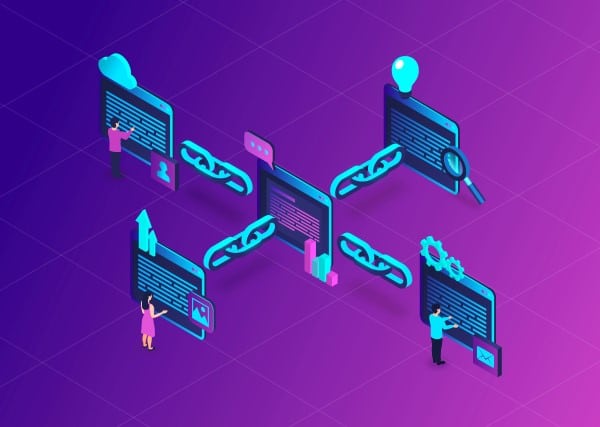
On a website or blog, internal links are the links that connect your site’s pages, posts, and articles to other content on your site. (We’ll sometimes use the term ‘page’ as a catch-all for these different content types.)
Internal links help your website visitors move between pages and find useful content other than the page they initially landed on (e.g., a ‘landing page’ from organic search).
Internal links also give search engine robots (bots, spiders, and crawlers) a way to easily discover and crawl the content on your site. This includes capturing signals about the meanings of and relationships between the pages on your site.
So, a good internal linking structure helps users and search engines as well.
(Notice how I just added an outgoing internal link in the sentence above.)
Important Point: Internal links always refer to links on the same web domain — typically a single website or blog.
Incoming Internal Links
From a specific receiving page’s perspective, an incoming internal link is a link from another page that points to the receiving page. Both pages are on the same site/domain, hence the term ‘internal’ here.
Outgoing Internal Links
A link from a source page that points to another page on the same domain is an outgoing internal link.
For a page on your site that receives an incoming internal link, another page has a corresponding outgoing internal link. (In cases where both links are in the body content.)
For example, if your ‘Blog Post A’ includes a new link to ‘Blog Post B’, then Post A has a new outgoing internal link and Post B has a new incoming internal link.
Pro Tip: A web page that has zero incoming internal links is called an ‘orphan page’ or ‘orphan content’, which can hurt your SEO. Learn more here about finding and fixing orphan content problems. Specialized internal linking tools like Link Whisper for WordPress sites make it easy to find and fix these issues.
External Links — Leading From Your Site to Other Sites on the Web
Just to be complete here, an external link is a link from your site to another site on the global web. (This becomes a backlink to the receiving site and page.)
Other Forms of Internal and External Links
Your website or blog undoubtedly has internal and external links that serve other routine purposes. For example:
- Navigational links (e.g., in your website’s nav menus)
- Blog archive links (e.g., ‘previous’, ‘next’, and similar post-related links)
- Quick external links to social media profiles or pages
These all serve important purposes for users, of course. But they are less important from a purely SEO-focused standpoint, assuming they have no technical errors.
Remember: Don’t confuse external links with outgoing internal links. They are different link types.
Quick Tips for Link ‘Anchor Text’
The ‘anchor text’ you use for your text links — both internal and external — carries some SEO importance as well. Quick tips in this area include:
- Use diverse, meaningful, and user-helpful anchor text on your internal and external links. Don’t be misleading about where a link is going.
- Don’t be tempted to ‘keyword stuff’ your anchor text. Using keywords selectively in anchor text is fine; keyword-stuffing your links is not.
- Don’t use a page’s exact target keywords or keyphrase on outgoing internal or external links. (This dilutes your on-page SEO. WordPress plugins like Yoast SEO will warn you if it spots this happening on a page.)
Backlinks — Referral Traffic Sources and Trust Signals

Backlinks are links that come from an external domain to a receiving page on another site.
When a 3rd-party website or blog links to your site, that’s a backlink for you.
When you link out to a 3rd-party domain, that’s an external link from your perspective, but an incoming backlink for the receiving site/page.
‘Dofollow’ Backlinks
Backlinks that do not specify a ‘rel=nofollow’ or ‘rel=sponsored’ link attribute are considered to be ‘do follow or dofollow’ backlinks. In theory, at least, these links are stronger ‘upvotes’ for your website content since they signal search engine crawlers (like Googlebot or Bingbot) to follow the link to your site.
Nofollow Backlinks
If a backlink from an external site/domain has a ‘rel=nofollow’ link attribute, that’s a ‘no follow or nofollow’ backlink. The external site owner is discouraging search engine crawlers and bots from following the link to your site.
Internal Links vs Backlinks — Other Differences
Importance for Topic Clusters and Off-Page SEO
Internal links and backlinks have a few other important differences worth noting as well.
For example, internal links are useful for ‘on-page SEO’ and ‘on-site SEO’ purposes, while backlinks are key ‘off-page SEO’ elements.
Internal Links Help Build SEO Topic Clusters
As noted above, your internal links are critical for interconnecting related content on your site or blog.
Good interlinking has the benefit of guiding users to other related site content that may provide value to them. It also helps create ‘topic clusters’ that benefit readers and help to impress search engines.
Ask yourself — which is more impressive?
- A blog category with only two semi-related posts in it.
- Or a blog category with dozens of high-quality posts/articles, all properly interconnected and revolving around a central theme or topic that’s highly relevant to your site.
The latter will better impress both users and search engines — leading to more satisfied users plus better SEO and search visibility for your content.

Related: Learn more here about building topic clusters and keyword groups.


Backlinks Help Boost Off-Page SEO
In SEO practice, ‘building backlinks’ is a main part of what’s known as ‘off-page SEO’ work.
Backlinks can be organic backlinks — those that link to your site naturally over time from other web domains around the world.
Or they can be proactively created backlinks — where you or someone you hire actively targets and reaches out to other domains in pursuit of gaining new backlinks.
The activity of proactive backlink-building is outside the scope of this post. Tactics here range from ‘black hat’ or ‘gray hat’ link-buying or link-exchange schemes, to ‘white hat’ SEO methods like earning links from trusted media outlets (e.g., via legitimate digital public relations or PR work).
Not surprisingly, Google encourages growing backlinks organically, ‘earning’ them naturally from other trusted domains and organizations, rather than trying to scale up a backlink profile artificially and/or from untrustworthy domains.
Good to Know: The importance of backlinks as ranking signals is under considerable debate in the SEO industry. Google says they are no longer a ‘top 3’ ranking consideration, while many SEO practitioners think they are still highly important for achieving good rankings.
Here’s some additional backlink guidance from a Google Q&A session.

Even in light of questions about backlink significance for ranking purposes, it’s still often useful to understand your backlink profile in greater detail. Several SEO tools can provide this analysis, including the various comprehensive SEO software suites.

Pro Tip: I know from firsthand experience that it’s possible to rank high for attractive keywords/queries with almost no backlinks to that content. Learn more here about how to rank your content without backlinks.
Google’s Guidelines Regarding Links
To understand Google’s latest guidance regarding links, including potential problem areas to avoid, see the Link Spam part of the Google Search Essentials documentation.
Google’s SEO Starter Guide may also be very helpful, especially if you’re new to SEO concepts and key activities.
Other SEO Link Analysis Tools
Free and Paid Options for Internal Links and Backlink Analysis
Several other tools are helpful when understanding your internal, external, and backlink (incoming) links.
For example, Google Search Console (GSC) and Bing Webmaster Tools (BWT) both have useful links reports. GSC’s reporting in this area, however, is quite a bit less detailed than many paid SEO tools for backlink analysis.
GSC and BWT are free SEO tools, so that’s always a good way to start.

Website auditing tools are also very useful for understanding linking structures and spotting problems with both internal and external links.
There are also several free and paid backlink analysis tools available, so they cover the backlinks part of the overall link analysis picture. Essentially all of the paid premium all-in-one SEO platforms include robust backlink analysis tools as well.

SEO Internal Links vs Backlinks — Closing Thoughts
Master Your Linking Types and Options for Better SEO
Now that we’ve covered the basics of internal links and backlinks, and considered how they differ from one another and impact SEO, there’s another thing to think about as well.
Regarding internal links vs backlinks and how you spend your SEO time and resources, which do you think is more important for your website or blog?
Should you spend more time and resources on your internal linking structure? Or should you spend more effort on building high-quality backlinks?
Can you afford to do both with equal emphasis?
There’s no single correct answer here for all websites, but I would argue that you should maximize your internal linking opportunities first since they are completely under your control as a website/blog owner or webmaster.
Questions or Comments?
I hope this post has helped you understand internal links vs backlinks, and how they impact your SEO efforts. Here are a few related questions for you:
- How well-optimized do you think your website is today for both internal linking and backlink opportunities?
- Do you spend more time on building internal links, or more on proactively building backlinks? Or do both areas need more attention?
- Do you use any specialized tools, techniques, or tactics for maximizing your linking opportunities?
Feel free to add more in the comments below with any thoughts, feedback, or related questions. Thanks also for any social shares on this post via the buttons below!
