
Last updated Jul 23, 2024
Finding Easy-to-Use SEO Tools
SEO may seem intimidating at first, with all the concepts and tactics required to truly become effective with it.
However, there are ways to make it easier, including using software tools that simplify the SEO learning curve.
This post covers SEO tools that are beginner-friendly, with features for newer, non-expert SEO users as a main priority.
Let’s take a closer look below…

This post contains a few referral links to vendor partners. We may receive compensation for purchases made via these links, at no additional cost to buyers.
Getting Started with SEO — Finding Easy ‘On-Ramp’ Tools
Practicing SEO Basics with Software Help
When you first get started ‘doing SEO’ for your website or blog, you may feel a bit overwhelmed by all the areas that need attention.
How to get started. Which SEO tasks to prioritize ahead of others. And so on.
SEO certainly has several layers of complexity to it, so it’s not a ‘click-click-done’ marketing activity.
On the topic of SEO complexity — and trying to simplify it where possible — some SEO tools and software platforms are easier to use than others. They are more beginner-friendly, as I describe further below.
Reducing SEO Complexity
Simplifying the (Sometimes) Complex World of SEO
For people new to doing SEO work, it’s important to ‘walk before you run’ while climbing the various SEO learning curves.
SEO tools with new practitioners in mind can help with this. They do a good job of covering SEO basics in general, while also helping you get comfortable with their specific SEO toolkit or platform.
The next section covers several areas to consider when looking for easy-to-use SEO tools.
Picking Beginner-Friendly SEO Tools
Finding Good Software Options for SEO ‘Newbies’
SEO tools can be very ‘task-specific’ (e.g., keyword research), or they may cover all major areas of SEO (e.g., the various all-in-one SEO toolkits).
Either way, there are several things to look for in SEO tools that prioritize ease of use for beginners, such as:
- Clear and simple user interfaces
- Focus on core features
- Limited ‘feature overload’
- Clear and simple insights and guidance
- Prioritized recommendations
- Step-by-step guides
- In-product SEO coaching and ‘workouts’
- SEO content optimization aids
- Integrations with other SEO-related tools
- Free SEO tutorials and support
- Free tools and trials for getting started
Focus on Core SEO Needs and Capabilities
Easier-to-use, beginner-friendly SEO tools focus on core tasks while avoiding feature overload.
This challenge can be easier for simpler tools and SEO utilities that focus on a single area of SEO. For others, such as comprehensive ‘all-in-one’ SEO toolkits, keeping things relatively simple for newer users and SEO non-experts can be tougher to accomplish, though it’s not impossible.
Clear and Simple Interfaces
Beginner-friendly SEO tools offer good user experience (UX) in part through clear, simple, and uncluttered user interfaces.
They provide essential data and analysis for the SEO task at hand, without ‘showing off’ by adding extraneous details.
Simple dashboards, progress updates, and uncluttered SEO reports are also key in this area.
Similarly, beginner-friendly SEO tools limit the use of SEO jargon and complex terminology, while providing plain-language definitions where needed.
Clear Insights and Prioritized Guidance
SEO is a data-rich area of digital marketing, so translating loads of SEO data and metrics into clear, actionable insights and prioritized guidance is key — especially for SEO beginners.
SEO Content Optimization
A major area of SEO work is the ‘on-page’ optimizations required to maximize ranking potential for target pages or posts, keywords, and keyphrases.
Many good SEO tools simplify this area through features such as content scoring vs SEO competitors (current top-ranking content in the SERP), specific keyword recommendations, color-coded on-page SEO reminders (e.g., see Yoast below), AI writing assistants for SEO, etc.
These features make it easier for SEO newbies to optimize new or existing content and avoid simple SEO mistakes and omissions.
Integrated SEO Coaching and Workouts
Some SEO tools include built-in features such as SEO coaching or ‘SEO workouts’ that provide additional guidance for non-expert users.
These in-product SEO coaching features are available directly within the software, which makes them immediately accessible to new users without the need to visit YouTube, a vendor’s blog or online support area, etc.
Related: Learn more here about free SEO training and certification programs available. Some are based on specific SEO software toolkits.
Online SEO Tutorials and Step-By-Step Guides
Outside of the actual software environments, primary SEO tools vendors provide decent online tutorials and guides for using their tools. These come in the form of YouTube tutorial videos, blog posts/articles, ‘getting started’ guides, etc., that help SEO beginners learn the basics in the context of a specific toolkit.
Some vendors also have active user groups on Facebook or other user-focused forums.
For any SEO vendor you’re considering, take a few minutes to review their online support options — especially those aimed at SEO beginners.
Helpful Integrations with Other SEO-Related Tools
Some SEO software platforms, especially the all-in-one SEO suites, provide options to connect with related parts of the typical martech stack.
For example, SEO tool integrations with Google Search Console and Google Analytics are common. Connections to other non-GA website analytics tools may also be available.
Content-focused SEO tools may now also integrate with AI writing assistants for either short-form or long-form AI writing support.
These SEO-related integrations can help new users by streamlining tasks and providing useful insights based on consolidated data and metrics.
Free Tools and Trials for Getting Started with No Risk
SEO beginners, by definition, don’t have much (if any) experience using SEO software tools, so free SEO tools and software trials are essential for helping new users get started.
Most mainstream SEO tools vendors provide free trials. Some do not but have money-back guarantees if you subscribe and then don’t like the product after a few days or weeks.
Pro Tip: One SEO toolkit vendor — SEO PowerSuite — offers a completely free-forever version of its desktop SEO suite. It has feature limitations but is still useful and not time-limited like most SEO software trials.
Also, see the various free SEO tools from Ahrefs, Semrush, Moz, and others. These can be useful on their own and also offer a limited peek at the functionality of these premium advanced SEO platforms.
Easy-to-Use SEO Tools to Consider
A Range of Beginner-Friendly SEO Tools
This section highlights a variety of SEO tools that incorporate the ease-of-use concepts I described above. They are reasonably beginner-friendly and therefore not too scary for newer SEO practitioners and website owners/managers.
Google Search Console — The Essential Free SEO Tool
For people concerned mostly with Google search for SEO purposes, Google Search Console (GSC) is what I call the ‘essential’ free Google SEO tool.

GSC will tell you many interesting things about your website’s visibility and performance on Google search. For people new to SEO, it’s also fairly user-friendly in many of its reporting areas. The popular GSC ‘performance report’, in particular, is pretty straightforward to interpret.
If you already have GSC connected to your domain and use it regularly, that’s great!
If not, learn more about GSC and get started here.
Pro Tip: Be sure to use GSC’s two layers of data filtering to drill down into specific areas of interest. Use them to analyze Google SEO performance for specific pages, topics, themes, keywords, etc., that are most important to you.
WordPress SEO Plugins — Basic and AI-Assisted SEO
There are many good SEO plugins for WordPress users. They cover everything from ‘on-page’ SEO essentials to more advanced areas and are great for users who are just starting to learn about WordPress SEO (or SEO concepts in general).
Some, like Rank Math and All in One SEO, are quite comprehensive — more like complete SEO software suites within the WordPress admin environment.
Increasingly, WordPress SEO plugins with AI incorporate at least some artificial intelligence functionality, such as generative AI writers for creating page titles, meta descriptions, etc.
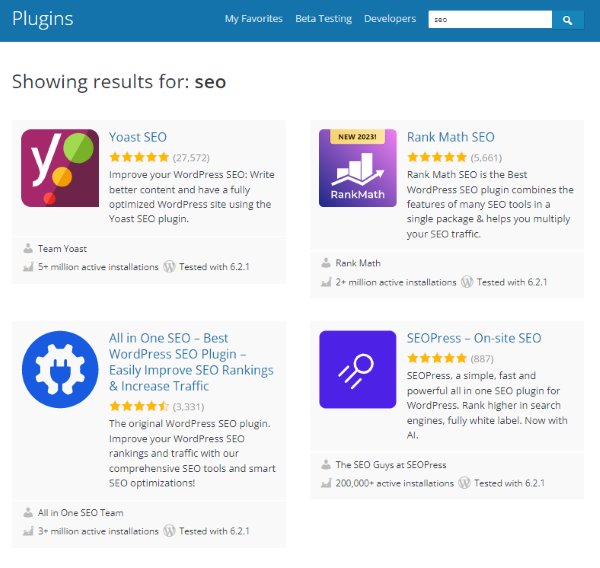
Related: Learn more here about AI-assisted WordPress SEO plugins.
Yoast
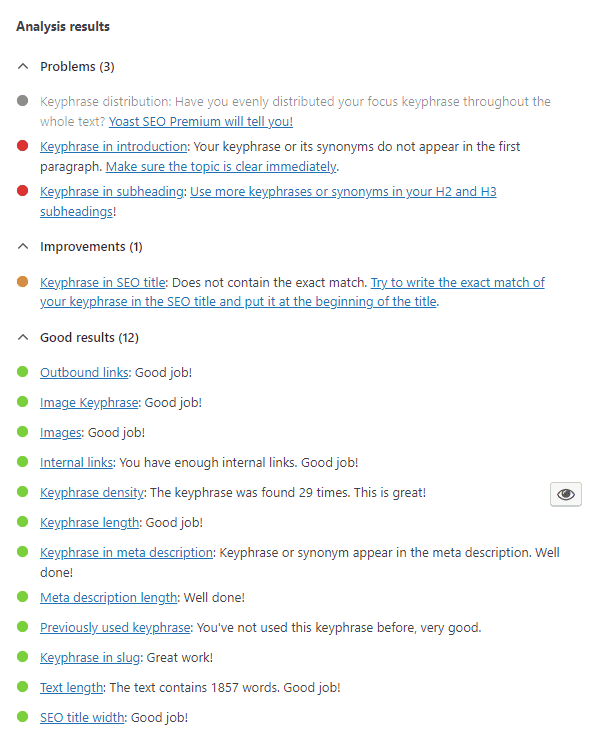
The Yoast SEO plugin for WordPress is very popular — and famous for its color-coded on-page SEO analysis and guidance. See the example screenshot below.
Yoast also offers many great free training resources for people new to SEO concepts and activities.
AIOSEO
All in One SEO, or AIOSEO for short, is another widely deployed SEO plugin for WordPress sites. It handles basic through advanced SEO needs for a wide range of websites.

Rank Math
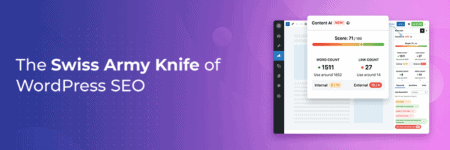
A newer popular SEO toolkit for WordPress, Rank Math covers a lot of SEO areas while still managing to keep things relatively simple for people new to SEO.
Squirrly SEO
Another SEO option for WordPress sites is Squirrly SEO, which is highly rated by users around the world.
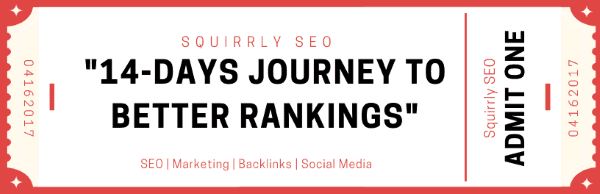
On the SEO coaching front, Squirrly offers a 14-Day Journey to Better Rankings program that uses their software to improve rankings for one of your most important pages (called a ‘focus page’ in Squirrly’s world).
Mangools — Affordable SEO with Ease-of-Use in Mind
Mangools is popular as a beginner-friendly SEO toolkit that also serves as a cheaper alternative to Ahrefs, Semrush, Moz, and other premium-priced SEO platforms.


Clicks.so — Focused on Beginner-Friendly SEO Tools
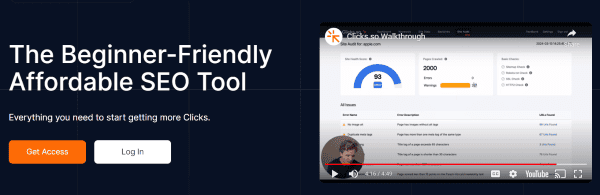
A newer entrant in the world of SEO toolkits, Clicks.so highlights core functionality without lots of unneeded ‘fluff’ — ideal for beginners but attractive to more experienced SEO software users as well.
SEO capabilities in the Clicks toolbox include keyword research, website metrics, backlink profile analysis, and site audits.
Ubersuggest — Affordable and Easy-to-Use SEO Platform
Ubersuggest is another all-in-one SEO platform that is very accessible for newer users of SEO tools. It’s also priced very aggressively, making it one of the cheaper SEO software options available.

Keywords Everywhere — Simple Keyword Research & More
Delivered as a browser extension, Keywords Everywhere is a very useful utility for adding keyword research metrics and insights almost everywhere you might need them — including Google search features, Amazon, YouTube, etc.
Keywords Everywhere is simple to use — even for people just starting in SEO.
The first screenshot below provides a sampling of primary websites and services where Keywords Everywhere works. The second screenshot provides an example of Keywords Everywhere in action on a Google search results page.
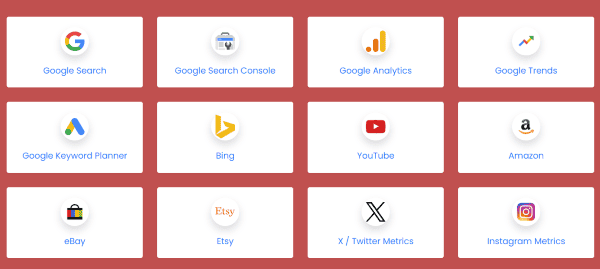

From its beginnings as a keyword research utility, Keywords Everywhere has since expanded into adjacent areas — social media metrics, SEO competitor research, AI prompts for a wide range of content needs, and e-commerce support.
Also, see their SEO Minion browser extension and free AI LLM prompt templates for even more SEO goodies.
Link Whisper — Simplifying Internal Linking for SEO
Available as a specialized SEO plugin for WordPress, Link Whisper is completely focused on the critical (but often overlooked) area of improving internal linking on content-heavy websites and blogs.
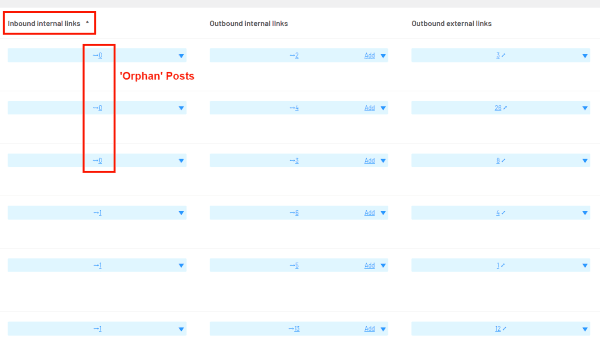
I use Link Whisper regularly to understand which content pages and posts need more incoming internal links, especially finding and fixing ‘orphan content’ problems.
The tool also suggests new linking opportunities and link anchor text based on its analysis of existing site content.
The premium version of Link Whisper adds several interesting features to further simplify and automate the process of internal linking for SEO gains.
Related: Learn more here about internal linking tools for SEO, and more about internal linking strategies more generally.
Frase — Solid SEO Content Workflow with AI Support
Fortified with several AI-assisted capabilities, Frase is an SEO content development and optimization platform that has features for SEO beginners and pros.
The sample Frase templates are especially helpful for beginners, and can also be customized whenever needed.


Surfer — AI SEO Content Tools, Keyword Research, and More
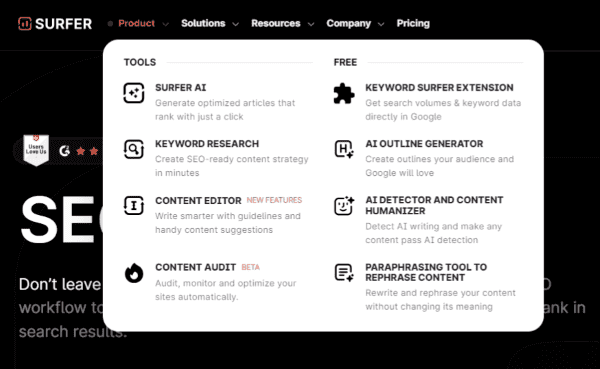
Like Frase, Surfer also focuses on making SEO-focused content development faster, easier, and better with a simplified workflow.
Note the many AI-assisted features and keyword research tools in the screenshot below.
Beginner-Friendly SEO Tools — Closing Thoughts
Lower the Learning Curve to Enable Steady SEO Improvements
Like anything else that’s at least somewhat complex, SEO can be broken down into simpler component concepts, tactics, and tasks that are easier for beginners to master.
SEO tools that are more beginner-friendly help newer SEO practitioners tackle specific areas of SEO work with features designed to make SEO easier, rewarding, and even fun.
If you’re new to doing SEO and want to explore software tools to help out, look for solutions that have at least some of the ease-of-use characteristics I’ve highlighted above.
Once you’re safely up the learning curve in core areas of SEO, you can engage more complex tools and methods that suit your needs.
I wish you good luck in your SEO journey!
Questions or Comments?
I hope this brief introduction to several tools that make SEO easier for beginners has been helpful! I’ll close with a few related questions for you:
- Where are you in your personal SEO learning curve journey? Beginner, intermediate, or expert?
- Which SEO tools, if any, have been (or were) especially helpful for you as an SEO beginner?
- How does SEO compare with other digital marketing skills you’ve gained over time? Is SEO easier or harder?
Feel free to add more in the comments below with any thoughts, feedback, or related questions. Thanks also for any social shares on this post via the buttons below!
