
Build Your Website with Major Help from AI
Building modern websites continues to get easier, and now AI-powered website builders are here to help even more.
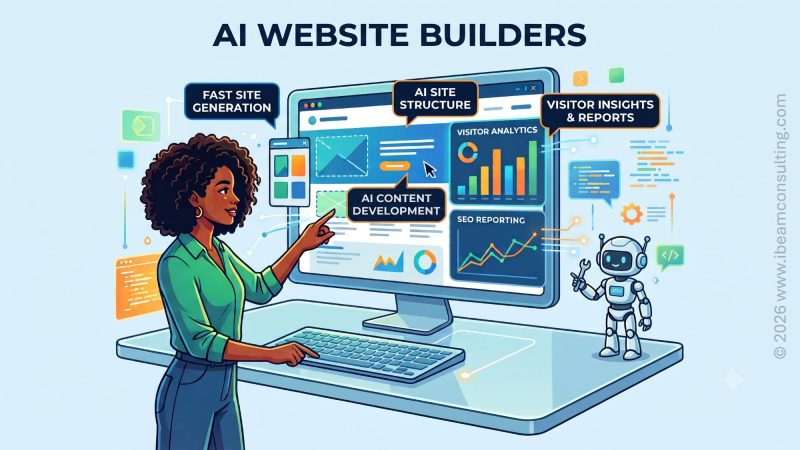
AI site builders can help with rapid design and structural elements, page copywriting, visuals, SEO, and more.
This post looks at AI website builders and offers insights, tips, and platform options to consider before committing to a specific path forward.
Let’s take a closer look below…
This post may contain a few referral links to select vendor partners. We may receive compensation for purchases made through these links, at no additional cost to the buyer.
Last updated Jun 29, 2026
AI Website Builders — The New Paradigm
Simplifying Website Creation: The AI-Powered Boost
Remember the days when building a website meant wrestling with stubborn design rules, broken layouts, or trying to figure out why your “mobile responsive” template looked like a broken puzzle on a smartphone screen?
For a long time, the website software industry promised that “no-code” visual editors would solve this.
But in reality, no-code often just meant trading coding errors for different, equally frustrating visual ones. You were still trapped inside rigid templates, forced to click a hundred times to change a simple layout.
Today, that era is officially over. We have entered the age of “AI vibe coding” and conversational site building.
Creating a web presence is no longer about dragging a box across a screen; it’s about having a conversation with an AI-enabled website-building platform.
You describe what you want in plain language, and the AI compiles, structures, styles, and publishes the site for you in real-time.
Whether you are generating a highly dynamic client portal or a fast-loading landing page, natural-language AI prompts do the heavy lifting.
But as the market has exploded with “AI-powered” website solutions, a massive problem has emerged: marketing hype vs. actual execution.
Almost every legacy site builder and hosting provider has slapped an “AI” badge on their homepage. Some of these tools are truly revolutionary, leveraging deep artificial intelligence to generate custom, production-ready systems.
Others are merely wrapping basic templates in a thin ChatGPT prompt, polishing the text, and calling it “good enough.”
Furthermore, a website cannot exist in a vacuum. It needs to rank on search engines, and it needs to be equipped to track performance.
If your AI website builder generates gorgeous layouts but strips away critical search engine optimization (SEO) details, lacks native integration with Google Search Console, or locks you into proprietary servers with zero code portability, it can become a liability — not an asset.
This post strips away the marketing jargon and provides an overview and comparison of 12 leading AI website builders.
From visual giants like Wix and Squarespace to code-first AI innovators like Playcode and SiteGround’s Coderick AI, we evaluate who actually delivers on the AI promise, and who is simply riding the trend.
Evaluating AI Site Builders
The Evaluation Framework
Every AI website builder highlighted below was subjected to the same checks, assessing not just how easy it is to start, but how viable the platform is for a growing, modern business.
Here are the six essentials:
1. Onboarding & UI Generation
This is about the “first-mile” site-building experience.
For example, how effectively the AI interprets a standard prompt (“A local organic bakery wanting online ordering, local delivery options, and an aesthetic, warm visual design”).
Does it build a generic, single-page site with placeholder graphics, or does it deliver a cohesive, multi-page structure with sensible menu paths, custom interactive forms, and an immediate visual “vibe” that aligns with the prompt?
2. Core AI Design & Copywriting
Generating a basic site is easy; generating a site that actually looks professional can be a LOT harder. We analyze the design system output: is the layout modern, fluid, and visually distinct, or does it feel like a recycled template?
Similarly, we grade the copywriter. We look for platforms that write contextually aware, high-converting copy that matches a specified brand voice, rather than generic, repetitive filler text.
3. Built-in AI SEO Tools
In today’s AI era of search visibility, SEO is more than just writing meta titles. High-performing AI builders must handle technical SEO automatically.
We check whether the platforms generate clean, structured search-engine-readable code, automatically draft context-aware alt text for AI-generated images, and output structured schema data (specialized code that translates details like business hours, reviews, and event locations directly to Google).
Also, how well do they optimize page-load speed behind the scenes to satisfy Google’s core speed benchmarks?
4. Native Analytics & Search Dashboard
A modern business owner needs to know what is working without installing dozens of bloated, privacy-invasive tracking scripts.
We look for platforms offering native, visual site analytics. Furthermore, we evaluate how deeply they integrate with Google Search Console (GSC) and Google Analytics 4 (GA4).
Can you pull critical performance metrics (like keyword impressions, click-through rates, and page index status) directly into your website’s primary dashboard, or are you forced to add tracking code snippets manually?
5. Vendor Lock-in vs. Portability
This is the hidden trap of the website builder industry. If your business grows, can you take your site with you? We evaluate the code export capabilities of each platform.
Can you download a clean package of optimized HTML, CSS, and Javascript to host on your own server, or is your design inextricably bound to the platform’s proprietary hosting ecosystem?
6. Cost-to-Value Ratio
AI isn’t free to run — it requires significant server resources. We balance the base monthly subscription price against the actual limits of their AI features.
Are you restricted to a tiny pool of “tokens” or generation credits per month, or does your subscription grant you the freedom to iteratively redesign, rewrite, and scale your site without incurring extra fees?
AI Website Builders — Top Contenders
The 12-Vendor Deep Dive Survey
Having established our criteria, let’s look at the contenders. These platforms represent a mix of legacy titans trying to pivot into artificial intelligence, design engines redefining visual boundaries, and code-first AI innovators building developer-friendly “vibe coding” environments.
(These are covered in no specific order of priority or preference.)
1. Wix (Wix AI / Wix Harmony)
Wix has spent the last several years moving away from its reputation as a slow, bloated drag-and-drop site editor.
Their visual ecosystem is now centered around Wix Harmony, an immersive, chat-driven workspace.
AI Capabilities: Rather than asking you to fill out a static form, Wix boots you directly into a live conversation with its layout agent.
You describe your business, upload your style guides, and talk through the multi-page structure. The AI generates fully functional pages, complete with custom forms, appointment schedulers, and section layouts.
If you dislike a specific section, you can click it, tell the AI to “make this a split-column layout with dark accents,” and watch it morph instantly.
AI SEO Tools: Technical SEO remains Wix’s strong suit. Their automated tools generate clean, search-engine-friendly structured schema data tailored to your industry.
Wix can also construct automated XML sitemaps and write highly contextual descriptions (“alt text”) for your images.
The built-in AI SEO assistant evaluates your content in real-time, pointing out keyword gaps before you hit publish.
Analytics & GSC Integration: Wix features a highly visual, comprehensive native dashboard (Wix Analytics) that tracks unique visitors, page engagement, bounce rates, and user geolocations.
Crucially, Wix includes a native Google Search Console integration built directly into its setup checklist.
You don’t have to verify your domain settings manually; Wix completes the verification and pulls your GSC search queries, keyword rankings, and click data directly into your primary Wix admin panel.
- Pros: Outstanding conversational page-editing; highly customizable; superb technical SEO and schema output.
- Cons: While the output is visually stunning, the generated behind-the-scenes code (the HTML DOM) can still be structurally cluttered, making raw manual editing or clean code export rather messy.
- Target Audience: Local service businesses, consultants, and mainstream retail shops looking for an all-in-one visual command center.
- Pricing: Core visual builder with AI capability starts at approximately $17 per month.
2. Squarespace (Squarespace AI & Blueprint)
Where Wix offers deep, modular customizability, Squarespace doubles down on visual minimalism and highly curated aesthetic layouts.
Their AI-powered offering is built on Squarespace Blueprint.
AI Capabilities: Squarespace’s approach is guided curation rather than generative chaos. It walks you through a visual questionnaire, choosing from highly refined layout “blueprints” matched to your brand identity.
Their AI copywriter is highly sophisticated — instead of outputting standard marketing jargon, it calibrates itself to a specified tone scale (e.g., “warm and conversational,” “austere and high-end”).
AI SEO Tools: Squarespace’s SEO relies on simplicity.
It generates automated sitemaps and structures pages logically, but its AI-specific SEO features are largely confined to metadata (generating titles and descriptions) and basic on-page alignment tips.
It lacks the deep, granular structured schema customizers seen in Wix.
Analytics & GSC Integration: Squarespace’s native analytics dashboard is legendary for its elegant design.
It prioritizes business health, displaying page views, traffic sources, cart abandonment, and checkout conversions in clean, highly readable graphics.
The platform boasts a direct, native Google Search Console integration that pulls search term impressions, clicks, and average ranking positions directly into your traffic reports, removing the need to navigate external Google dashboards.
- Pros: Visually peerless, modern aesthetics; incredibly clean visual visitor dashboards; great native ecommerce tools.
- Cons: No real-time structural AI code generation (you can only work within predefined design templates); code export is virtually locked down.
- Target Audience: Creatives, artists, portfolio-heavy designers, and premium boutique online stores.
- Pricing: AI-supported tiers start at around $16 per month (billed annually).
3. GoDaddy (GoDaddy Airo)
GoDaddy’s strategy is all about sheer speed and convenience, targeting the micro-business owner who needs to exist online immediately.
AI Capabilities: Using GoDaddy Airo, the onboarding is lightning fast.
You input your business name and a brief description, and the system instantly designs a multi-page website, registers a domain, drafts a custom vector logo, schedules a welcome email marketing campaign, and drafts your first three social media posts.
AI SEO Tools: The SEO tools are highly automated and basic.
The platform writes your metadata, sets up basic local business schema, and auto-generates image alt tags. It provides minimal diagnostic capability for advanced SEO campaigns.
Analytics & GSC Integration: The GoDaddy InSight dashboard serves as a unified digital scoreboard.
It tracks website traffic alongside customer contact lists, email click-through rates, and social media reach. GSC integration is basic, though you can add Google Analytics tracking headers with a few clicks.
- Pros: The fastest visual-to-launch workflow on the market; great all-in-one starter kit (domain, email, social, site).
- Cons: Extremely rigid layouts; if you try to visually customize beyond the AI’s generated structure, the design tools feel highly restricted and clunky.
- Target Audience: Absolute beginners, local handymen, neighborhood service providers, and solopreneurs looking to launch in under five minutes.
- Pricing: Highly integrated bundles start at approximately $10 per month.
4. SiteGround (Coderick AI & AI Studio)
SiteGround completely subverts the standard “no-code” template paradigm.
They have engineered a unique environment that pairs their managed, high-performance hosting with Coderick AI — a highly advanced workspace built for functional AI horsepower.
AI Capabilities: SiteGround offers a dual-path workflow. Beginners can use the SiteGround AI Studio to visually generate a fast, modern site.
However, the real magic happens in Coderick AI, which is a visual “vibe-coding” interface.
Developers and founders can write conversational prompts in natural language to build database structures, user authentication rules, client-facing portals, and dynamic systems.
Coderick AI also supports “Bring Your Own Code” — meaning you can upload pre-made frontend code (exported from standalone AI assistants like Claude or visual design mockups from Figma) and use the AI to wire up a database, build backend logic, and launch it safely.
AI SEO Tools: Because SiteGround is a hosting infrastructure company first, its hosting setup is optimized for search-engine speed out of the box (with server-side file caching, integrated content delivery networks, and automated file compression to speed up loading times).
The editor provides on-page meta generators, automated XML sitemaps, and direct integration with Google Tag Manager.
Analytics & GSC Integration: SiteGround does not provide a visual analytics tracking dashboard out of the box.
Instead, it offers incredibly deep, server-level diagnostics (bandwidth usage, database requests, and server response times).
To track actual users, the system is designed to allow instant code snippet injections of custom tracking software (like GA4, Google Search Console, or privacy-first alternatives like Fathom and Plausible) without slowing down the site.
- Pros: Legendary server speeds; incredible database flexibility with Coderick AI; support for staging, version control, and instant rollbacks.
- Cons: Steeper learning curve for Coderick AI compared to simple drag-and-drop builders; no proprietary visual visitor charts.
- Target Audience: High-performance small businesses, web agencies, developers, and tech founders looking to rapidly build dynamic, secure web application MVPs, or designers importing mockups from Claude/Figma to write server logic.
- Pricing: Hosting plans with AI Studio and Coderick access start at around $10 per month.
Related: See this post for my SiteGround hosting review. I’ve been a SiteGround user for several years now, hosting multiple WordPress sites with them.
5. WordPress.com (Managed Jetpack AI)
WordPress.com is Automattic’s fully managed, cloud-hosted version of WordPress, designed to bring modern AI tools to the traditional content-rich platform.
AI Capabilities: Built around Managed Jetpack AI, this platform uses an assistant block embedded directly into the native block editor.
You can prompt the assistant to draft entire blog posts, translate content into dozens of languages, construct tables, and recommend column-based layouts to vary your page flow.
AI SEO Tools: Merges Jetpack’s classic SEO settings with automated optimizations.
It auto-generates search-friendly titles, drafts social media teasers tailored to different platforms, and monitors page performance metrics.
Analytics & GSC Integration: WordPress.com comes equipped with Jetpack Stats, a beautiful, native dashboard that visualizes page views, top traffic sources, search engine keywords, and outgoing links.
Setting up GA4 and verifying Google Search Console is built into the settings dashboard, eliminating the need to edit theme header files directly.
- Pros: Rock-solid stability; great writing and content generation tools; ideal for high-volume content creators.
- Cons: To unlock advanced plugins, custom code injections, and deep third-party integrations, you are forced to climb to their higher-priced business tiers.
- Target Audience: Bloggers, digital content marketers, newsletter writers, and media publications.
- Pricing: Free tier available; paid AI-ready tiers start at around $15 per month.
6. WordPress.org (Self-Hosted + AI Page Builders)
This is the ultimate open-source champion that powers much of the current web.
WordPress.org allows you to host the core WordPress software yourself on any server, relying on a vast third-party marketplace (e.g., plugins) for AI features.
AI Capabilities: Because it is open-source, your AI capabilities depend on the WordPress builder plugins and other AI add-ons you choose.
Utilizing advanced suites like Elementor AI, Divi AI, or ZipWP, you can visually chat with your editor to generate custom layouts, write custom styling rules (CSS) on the fly, and draft site copy inside your layout boxes.
AI SEO Tools: Incredibly robust, both natively and via any number of advanced WordPress AI SEO plugins.
By installing industry-leading SEO plugins like RankMath AI, AIOSEO, or Yoast AI, you get access to advanced semantic keyword suggestions, automated structured schema generators, automatic redirection management, and deeply thorough content-grading algorithms.
Analytics & GSC Integration: While there is no native dashboard out of the box, you can install Google’s official, free plugin: Site Kit by Google.
This connects directly to your Google Analytics 4 and Google Search Console accounts, pulling real-time search query metrics, indexing logs, and visitor traffic graphs directly into your main WordPress admin sidebar.
- Pros: Infinite customization; 100% data ownership (zero lock-in); huge ecosystem of AI-enabled plugins for various capabilities.
- Cons: Demands manual hosting maintenance, plugin management, and security oversight.
- Target Audience: Developers, SMB and agency owners, and serious digital marketers.
- Pricing: Core software is free, but hosting is approximately $5 – $25 per month, plus premium AI plugins at $8+ per month, so costs can add up.
💡 Sidebar: The SiteGround + WordPress.org Hybrid Setup
For SMBs, professional agencies, and scaling startups, choosing between the plug-and-play ease of managed AI visual site builders and the raw customizability of self-hosted WordPress has always been a painful trade-off.
Today, combining self-hosted WordPress.org with SiteGround’s managed infrastructure offers a massive competitive advantage, establishing what is essentially a “hybrid beast” that unlocks a multi-layered AI stack without compromising on performance.
Eliminating the “AI Performance Penalty”: Visually complex layout code generated by builders (like Elementor AI or Divi AI) can create messy file structures that slow down loading speeds on cheap shared hosting.
SiteGround eliminates this at the server level using built-in, advanced server caching (NGINX SuperCacher) and modern file-shrinking protocols (Brotli compression) to maintain lightning-fast page loading speeds.
The Multi-Tiered AI Stack: Under this synergy, you aren’t tied to a single vendor’s AI ecosystem.
You can stack highly specialized engines together: SiteGround’s custom setup wizard for core site layout, Elementor/Divi AI for design, RankMath/Yoast AI for keyword grading and automated local business schema, and Coderick AI’s specialized coding space to write custom PHP and JavaScript code directly into your theme.
Bulletproof Sandboxes: Working with experimental AI plugins and raw generated code carries natural breaking risks.
SiteGround’s one-click “site staging” features let developers clone their live environments instantly, safely test newly generated components, and deploy updates to live sites with zero risk of user downtime.
7. Hostinger (Hostinger AI Builder)
Hostinger entered the AI building arena by acquiring Zyro, optimizing it over the years to create one of the fastest, most cost-effective entry points for basic, AI-driven websites.
AI Capabilities: Using the Hostinger AI Builder, the setup is incredibly streamlined.
You answer a few quick questions about your business, and the AI generates a clean, responsive template with customized copy and matching visual assets.
Key recent highlights include their built-in AI Heatmap (a visual tool that uses machine learning to predict where visitors will focus their eyes and click) and an AI Blog Generator that drafts structured, readable articles in seconds.
AI SEO Tools: Hostinger provides an intuitive, wizard-style AI SEO assistant.
It guides users through creating keyword lists, auto-generating meta titles and descriptions, setting up structural URLs, and writing basic image descriptions (alt text). However, it lacks the deep structural schema customization of WordPress or Wix.
Analytics & GSC Integration: Hostinger includes a highly simplified native analytics dashboard directly inside its client panel, tracking essential page views, traffic referrers, and basic session metrics.
Adding Google Analytics 4 is a straightforward script injection, though native Google Search Console keyword extraction is not pulled directly into the host interface.
- Pros: Extremely budget-friendly pricing; the AI Heatmap is an incredible tool for optimizing page designs; very shallow learning curve.
- Cons: Layouts and templates can feel overly basic; custom visual changes beyond the AI’s generated grid feel highly constrained.
- Target Audience: Micro-businesses, side-hustlers, and absolute beginners wanting to establish a professional web footprint on a strict budget.
- Pricing: Extremely budget-friendly, often starting at under $5-$10 per month (including hosting, a free domain, and custom business email).
8. Framer (Framer AI)
Framer is a modern designer’s paradise, built specifically to translate fluid canvas-based designing into responsive, production-ready frontend websites.
AI Capabilities: Framer’s AI prompt-to-site generation is visually jaw-dropping.
You describe a landing page or layout style in raw natural language, and Framer generates custom, beautifully layered visual grids complete with smooth animations, custom color systems, and modern typography.
It supports immediate Figma design file imports and conversational AI section rebuilding.
AI SEO Tools: Framer manages technical SEO exceptionally well.
It auto-generates XML sitemaps, formats clean and search-friendly code tags, processes images into fast next-gen formats (like WebP) via a high-speed global delivery network, and allows users to manually inject custom structured schema blocks directly into page headers.
Analytics & GSC Integration: Framer stands out in 2026 with its gorgeous, native, privacy-first, cookieless analytics dashboard.
It tracks visitors, bounce rates, and campaign sources with total privacy compliance (GDPR) out of the box — eliminating the need for annoying, visual cookie consent banners.
Google Analytics 4 and GSC verification are configured instantly by pasting tracking keys into the site settings.
- Pros: Mind-blowing design fluidity, animations, and typography; gorgeous privacy-compliant native analytics; fast loading speeds via high-speed edge servers.
- Cons: Steeper learning curve for non-designers; lacks deeper, native database-driven capabilities or complex backend client management portals.
- Target Audience: Modern startups, design agencies, tech companies, and SaaS (software) founders looking to build visual-first, high-conversion landing pages.
- Pricing: Free basic tier; paid AI-supported site plans start at approximately $15 per month.
9. Webflow (Webflow AI & WXP)
Rebranded as a comprehensive Website Experience Platform (WXP), Webflow AI bridges the gap between total visual design control and collaborative marketing workflows.
AI Capabilities: Webflow integrates visual coding elements directly into its professional workspace.
The AI Site Builder generates full responsive layouts, while the conversational AI Assistant helps rewrite copy, build animations, and apply complex visual styles.
For enterprise teams, Webflow offers native AI agents designed to inspect, structure, and optimize data so it gets cited by modern AI search platforms like Gemini and ChatGPT.
AI SEO Tools: Extremely detailed. Webflow automatically drafts image descriptions, generates page tags, and offers granular controls for structural page redirections, sitemaps, and indexing toggles.
It also features an AI Crawler Control toggle to prevent third-party bots from scraping your site and eating up hosting bandwidth.
Analytics & GSC Integration: Powered by the integrated Webflow Analyze and Webflow Optimize suite (available for a modest subscription add-on), which brings native, cookieless visitor tracking and automated A/B testing directly into the design interface.
Seamlessly integrates with GSC, Google Tag Manager, and custom marketing tracking pixels.
- Pros: Unrivaled, pixel-perfect control over custom layouts and advanced web animations; clean, fully exportable code; excellent “headless” options (meaning you can separate your central content library from your page designs, sending content to apps or other websites easily).
- Cons: Steep learning curve; pricing plans can get complex and expensive as teams scale.
- Target Audience: Mid-market design agencies, tech corporations, enterprise marketing teams, and advanced visual developers.
- Pricing: Free limited tier; basic production plans start at around $15 per month (billed annually), with workspace and platform tiers climbing significantly.
10. Durable (Durable AI)
Durable is designed with a singular, hyper-focused goal: helping local, service-based solopreneurs launch a functional, client-getting business website in under a minute.
AI Capabilities: Durable’s onboarding is famously fast.
By entering your business category and city, the system generates a multi-page local service site in roughly 30 seconds — building styled layouts, generating relevant service copy, and embedding a fully functional client contact form.
It includes an integrated AI assistant to draft customer follow-up emails, social media captions, and professional business templates.
AI SEO Tools: Standard and automated.
The platform focuses heavily on local SEO, writing local-intent meta tags, building sitemaps, and automatically suggesting keyword-aligned headings to rank for geo-targeted search terms.
Analytics & GSC Integration: Rather than focusing solely on traffic, Durable features a unified scoreboard that connects simple native visitor analytics directly with a built-in customer relationship manager (CRM), client invoicing portal, and payment processor.
GSC and GA4 integrations require pasting standard verification headers into the backend.
- Pros: Incredibly fast; simplifies the tool stack by bundling a website, a basic CRM, and invoicing software under one subscription.
- Cons: Very rigid design layouts; if you want to visually customize elements outside the generated grid, the options are severely restricted.
- Target Audience: Solo service providers (e.g., local handymen, fitness coaches, real estate agents, cleaners, and mobile mechanics).
- Pricing: Starter plans with basic billing and CRM tools start at around $12 per month (billed annually).
11. Weebly (Square Online / Weebly AI)
Since being acquired by financial giant Square, Weebly’s development has been heavily unified under Square Online, transforming it from a general blog builder into a highly integrated visual retail system.
AI Capabilities: Rather than building conversational visual layouts, Square/Weebly focuses its AI engines on commerce efficiency.
It features built-in AI product description copywriters, automated photo background removal tools (allowing you to transform phone photos into clean catalog shots), and automated layout suggestions optimized to drive product checkouts.
AI SEO Tools: Fairly basic.
Allows users to write custom page titles, URLs, and meta descriptions manually, but lacks automated schema generators or real-time keyword checking tools out of the box.
Analytics & GSC Integration: Features a robust visual transactional dashboard tracking real sales, cart abandonment, average order values, and customer retention metrics.
Standard visitor tracking relies on injecting GA4 or custom scripts into the page header templates.
- Pros: Industry-leading, seamless synchronization with Square POS (Point of Sale) checkout register hardware; highly stable and reliable for inventory syncing.
- Cons: Outdated template designs; minimal visual flexibility compared to modern canvas builders; the legacy Weebly-branded visual editor has seen very little active development outside of Square commerce updates.
- Target Audience: Local brick-and-mortar store owners, boutique retail operators, and restaurants already using Square for physical payments.
- Pricing: Free basic plan (using a Square subdomain); professional custom domain tiers start at approximately $12 per month (billed annually).
12. Playcode (Playcode AI)
Playcode represents the pinnacle of the “vibe-coding” revolution. It is designed for founders and creators who want the flexibility of custom code without the barrier of writing it manually.
AI Capabilities: Playcode works like an interactive web design agency.
Rather than wrapping basic templates, the AI agent converses with you, creates structured sitemaps and wireframes, and compiles real, standard, production-ready code (clean HTML5, CSS3, modern JavaScript, or complete React/JSX files) behind the scenes.
You edit the page by clicking visual components or chatting with the AI agent to apply revisions, build database structures, register user authentication, and connect live APIs.
AI SEO Tools: Incredibly strong.
Because Playcode compiles clean, lightweight, search-engine-optimized code, search spiders crawl the site with exceptional ease.
The visual editor features direct panels to optimize metadata, alt descriptions, canonical URLs, and output detailed structured JSON-LD schema packages.
Analytics & GSC Integration: Playcode values site performance above all else, choosing not to slow down page speeds with proprietary visual tracking scripts.
Instead, it supports instantaneous code integration, letting you paste GA4, GSC, or modern performance-oriented analytic tracking scripts (like Plausible or Fathom) directly into the index files.
- Pros: 100% data ownership and clean, developer-approved code exports (zero vendor lock-in); supports complex dynamic application features; highly performant.
- Cons: Visually oriented around an IDE environment (a coder’s code editor interface) which may feel intimidating at first glance to non-technical users.
- Target Audience: Tech startups, indie hackers, developer agencies, and founders looking to prototype and scale dynamic web products quickly.
- Pricing: Free starter sandbox; pro production plans start at about $20 per month.
AI Website Builders & SEO
Critical Feature Analysis: AI SEO Tools
If there is one area where the gap between marketing promise and technical reality becomes a chasm, it is search engine optimization (SEO).
Today, many site-building platforms boast that they are “fully AI SEO optimized.” But in practice, most of these features begin and end with basic AI-writing software connections.
To build a site that actually ranks in traditional web search and AI-powered search results (i.e., “AI search visibility”), we must look deeper.
Why General Copywriting Does NOT Equal SEO
The market is saturated with visual builders that claim to handle your SEO simply because they can generate a thousand-word blog post in ten seconds.
But dumping raw, AI-generated text onto a page is not SEO (or “GEO”) — in fact, it can be a fast track to getting penalized by search algorithms designed to weed out low-effort, repetitive AI writing.
True search visibility requires structural and semantic contextualization. An AI that doesn’t understand search intent, search keyword categories, or page context will simply output generic terms that fail to rank.
True AI SEO means having capabilities that analyze real-time search trends, structure your headings to answer actual user search queries (matching conversational search patterns), and dynamically adjust keyword density.
The SEO Stack Check: What to Look For
When evaluating an AI builder’s technical search architecture, you must run it through this four-part checklist:
Semantic Code Structure: The builder must output clean, nested semantic code (such as <header>, <article>, <section>, and sequential layout headings).
Some visual AI engines wrap text arbitrarily in generic containers, which prevents search engine crawlers from understanding the logical layout hierarchy of your pages.
Auto-Generated Alt Tags: Manually writing descriptive tags for hundreds of images is tedious.
The best AI site builders use localized computer vision models to evaluate your images upon upload and write highly descriptive, contextual image descriptions (alt tags) that boost accessibility and Google Images indexing.
Structured Schema Data Generation (JSON-LD): Schema markup acts as a direct translator for search engines.
If you are a local mechanic, a product vendor, or hosting an event, your AI builder must generate this structured code so search engines can instantly extract physical location, reviews, operating hours, and stock availability to display rich search results (like star ratings and business locations directly on the search page).
Page-Load Speed and Core Web Vitals: No amount of smart keyword layout can save a site that takes four seconds to load.
You must evaluate how the visual editor cleans up code behind the scenes, implements smart image loading (e.g., “lazy loading”), hosts files on high-speed global servers, and structures styles so that page elements don’t shift around dynamically while loading.
Top 3 SEO Performers
From the options outlined above, here are three standouts that consistently deliver highly performant, technically sound websites:
Wix: Winner of the “All-in-One Out of the Box” award.
Wix’s AI SEO wizard doesn’t just check off metadata; it builds incredibly detailed, customized schema structures, sets up auto-redirect systems when you change page links, and provides direct, real-time page indexation pipelines directly to Google.
WordPress (Self-Hosted + RankMath AI plugin): The uncontested king of depth and customizability.
Utilizing the power of RankMath AI inside self-hosted WordPress allows digital marketers to build complex semantic content layouts, grade their drafts against hundreds of on-page speed and structure checks, auto-inject nested local schema, and monitor targeted keywords directly from the admin dashboard.
Playcode: The champion of raw technical hygiene.
Because Playcode compiles pure, lightweight layouts with zero bloated visual builder scripts, its pages load near-instantaneously. The lack of code clutter means search engines crawl every page effortlessly, awarding excellent speed performance scores out of the box.
Related: Learn more in my glossary of AI SEO terminology.
AI Website Builders & Analytics
Analytics & Search Integrations: Native vs. Third-Party Power
Building a search-visible website is only half the battle; the other half is measuring user interactions and organic search performance.
For AI-powered website builders, the analytics landscape has split into two distinct philosophies: elegant native tracking dashboards and raw developer-focused code injection layers.
The Shift to Cookie-Free Analytics
With global data privacy laws tightening and users actively rebelling against invasive web tracking, the classic tracking cookie is rapidly becoming obsolete.
In response, modern site builders are rolling out native, cookie-less analytic frameworks.
Framer is the gold standard of this privacy-first shift.
Its built-in analytics dashboard tracks unique visitors, page sessions, referrers, and promotional campaign sources without setting a single tracking cookie.
Because it is fully privacy-compliant out of the box, you can run a clean, modern landing page without forcing users to click through an obstructive cookie consent banner.
This drastically improves the visual user experience while preserving essential traffic data.
The Integration Hurdle: Direct GSC Connections
The most valuable resource for understanding organic keyword growth is Google Search Console (GSC).
Typically, checking search trends requires leaving your website editor, opening GSC, and wrestling with their native filters.
Platforms like Wix and Squarespace have solved this headache by supporting direct connections with Google Search Console. Instead of merely validating your site’s domain headers, their built-in analytics dashboards actively pull search engine query data directly into your design interface.
With one click, you can see exactly which keywords are driving organic clicks to specific pages, what your click-through rates (CTR) look like, and which images are ranking — all directly within your website’s main dashboard.
Code Injection Power (The “Dev” Approach)
While native dashboards are beautiful and convenient, they have a natural ceiling. Enterprise brands, SaaS startups, and professional developers often require advanced, hyper-granular custom metrics (such as visitor heatmaps, button-click tracking, dynamic user funnel paths, and retention analysis).
For these power users, visual analytics dashboards built into platforms like Squarespace can feel restrictive and unnecessarily heavy.
This is where website developer-first platforms like Playcode, Webflow, and SiteGround’s Coderick AI hold a massive competitive edge.
Instead of bundling visual analytics packages that slow down loading speeds, these platforms treat analytics as a clean, customizable stack.
They provide open code panels that let you place custom scripts – whether it’s Google Analytics 4, MS Clarity, Mixpanel, Fathom, Hotjar, or custom tracking managers – directly into the page headers.
Because they compile optimized, raw code, you get complete, unrestricted tracking without sacrificing page-load performance.
Related: Learn more in these posts about using Google Analytics and Google Search Console for AI SEO, and several alternatives to Google Analytics worth considering, especially for data privacy strengths.
Selecting an AI-Powered Website Builder
Buying Guide & Decision Flow (How to Choose)
With 12 distinct platforms on the table, finding the single “best” option depends entirely on your primary business goals, your technical comfort level, and what you want to achieve with your site.
To simplify your selection process, here’s a strategic decision flow based on core organizational priorities. Which of these is closest to your current situation?
1. “I want a stunning, visual-first brand presence.”
If your brand’s success relies heavily on visual storytelling, premium typography, dynamic scroll animations, and fluid designs, you should operate within high-fidelity design grids.
The Verdict:
- Choose Framer if you want cutting-edge layout transitions, modern startup styling, and lightning-fast loading with built-in, cookie-less native analytics.
- Choose Squarespace if you run an image-heavy portfolio, a lifestyle blog, or a boutique retail storefront that needs curated layouts with direct GSC keyword reporting.
2. “I want 100% data ownership and infinite future scale.”
If you refuse to be held hostage by a single builder’s proprietary hosting servers and want the ability to modify every single line of backend logic, export clean HTML/React files, or install custom tools.
The Verdict:
- Choose WordPress.org (ideally backed by SiteGround’s performance hosting) to build on an open-source framework with infinite customizability, robust RankMath, Yoast, or AIOSEO AI search optimization, and unlimited plug-and-play integrations.
- Alternatively, choose Playcode or Webflow if you want clean, portable code exports paired with conversational “vibe-coding” flexibility.
3. “I need to get a local business online immediately, with zero tech headaches.”
If you don’t care about custom coding or complex animation systems, and simply need a clean, stable web presence that registers leads, coordinates basic marketing, and acts as a digital storefront.
The Verdict:
- Choose Durable if you are a local service contractor (e.g., HVAC, plumbing, coaching) who wants a complete, multi-page site generated alongside an integrated CRM and invoicing suite in 30 seconds.
- Choose GoDaddy if you are an absolute beginner looking for a ultra-fast workflow that registers a domain, builds a site, drafts custom logo graphics, and sets up starter email marketing campaigns out of the box.
- Select Hostinger if you are on a strict budget but want an easy-to-manage portfolio backed by AI conversion heatmaps.
4. “I want to build a functional web application with databases and user accounts.”
If you need your website to act as a secure backend portal where customers can log in, view account-specific data, upload files, or interact with automated workflows.
The Verdict:
- Choose SiteGround (with Coderick AI). By leveraging its integrated visual database generator, user authentication parameters, and staging sandboxes, you can prompt a secure, high-performance web app into existence directly on premium enterprise server infrastructure.
5. “I want a robust, all-in-one visual command center.”
If you want deep, native visual customizing options alongside heavy built-in transactional capabilities (like booking calendars, custom form builders, event schedulers, and detailed local SEO elements) without relying on third-party plugin configurations.
The Verdict:
- Choose Wix. Wix Harmony acts as an intuitive conversational visual builder that connects to a comprehensive suite of native marketing, SEO setups, and visual web-analytics tracking platforms.
Like this post? Quickly share it with your social networks here.
Want to make sure you never miss our updates? Click below to add us as a preferred source on Google Search.

AI Website Builders — Closing Thoughts
Conclusion & Future Outlook
We have come a long way from the static web pages of the early 2000s and the rigid visual builders of the 2010s. Today, artificial intelligence has completely leveled the playing field of the digital economy.
A solo founder with a highly optimized natural-language prompt can design, deploy, and scale a technical web experience that previously required a dedicated team of frontend developers, database engineers, and SEO specialists.
But the real magic of this transition isn’t just that we can build websites faster; it is that we can build them smarter.
Looking Ahead
As we look forward, the next evolution of AI website builders will move past static generation entirely. We are rapidly transitioning into the era of Autonomous Web Agents.
Instead of generating a layout once and requiring you to manually edit it, future AI builders will act as living, self-optimizing ecosystems.
These platforms will monitor your visitor analytics in real-time, recognize high-bounce drop-off zones on your landing pages, conduct continuous automated A/B testing on your copy, and rewrite layout elements dynamically to maximize client conversions.
They will monitor Google Search Console metrics in the background, automatically adjusting semantic content blocks, structuring schema details, and self-publishing pages to intercept rising search terms before your competition even notices the trend.
The businesses that thrive in this automated landscape will be those that choose platforms with technical integrity.
As you select your builder from this guide, prioritize fast hosting speeds, clean semantic output, deep Google search integrations, and data portability.
Use these conversational tools to design your digital vision, build with technical precision, and let the AI handle the complex mechanics while you focus on what truly matters: growing your business.
Questions or Comments?
I hope this overview of AI website builders has been informative and helpful!
Let’s close this post with a few related questions for you:
- What platform is your current website or blog based on? Does it have any AI-centric features built in already?
- Which “AI first” website builder outlined above appears to be the best fit for your current and future site requirements?
- Which aspects of your website development, growth, and maintenance are you comfortable having AI handle in an automated fashion?
Feel free to add more in the comments below with any thoughts, feedback, or related questions. Thanks also for any social shares on this post via the buttons below!
